Vibecoding Calendly? Really?
I know it's a terrible idea — $14 a month, battle-tested, multiple event types. I did it anyway. BookTime is a stable thin-slice experiment in building what I really shouldn't have built.

5 min read
Build log
Right now, I know this is an absolutely terrible idea and nobody should do this.
But I did it — and I’m actually super happy with it. I’m surprised.
Calendly is fourteen dollars a month. I can have multiple event types. It’s battle-tested and it works. If I mention this to anybody in my cohort, I’m immediately going to get called a hypocrite. But — this is an ongoing experiment in build in public. I may end up hating it.
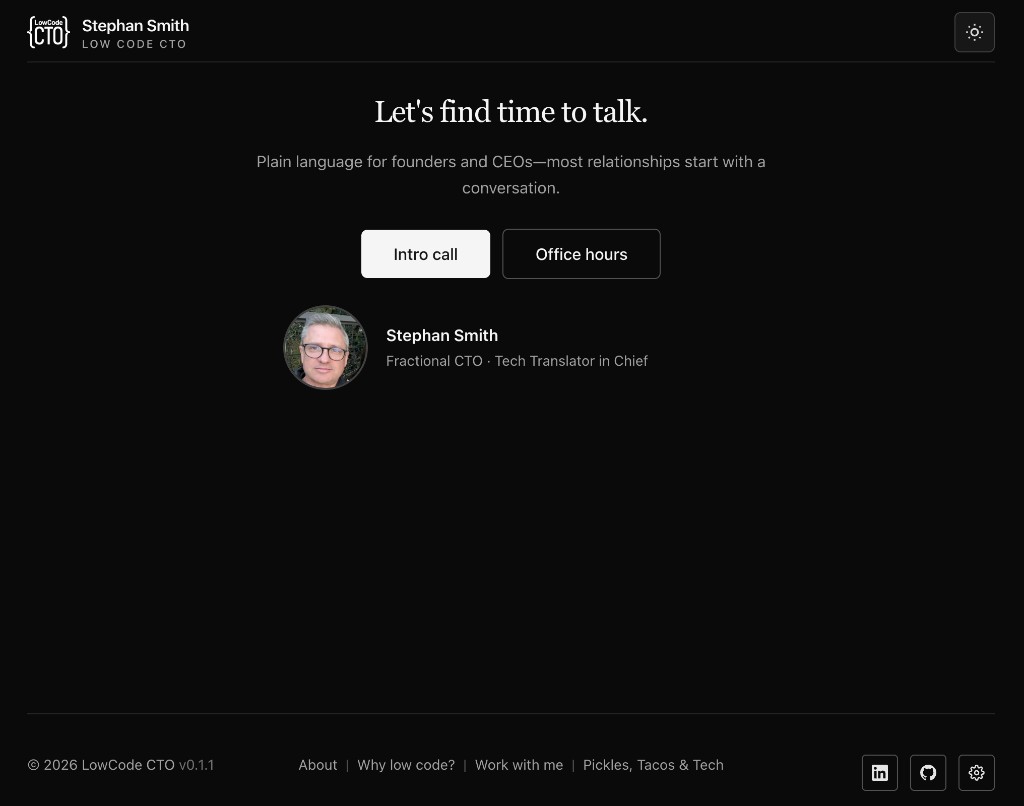
BookTime live at book.stephansmith.me — three screenshots from Calendly, markup, rebuild.
Live stack: BookTime → · context in Snowflake CRM
Stable thin slice — not a product pitch
I’ve decided to treat this like a stable thin-slice experiment: building a feature I really, really shouldn’t have built — and seeing whether the integration wins survive the pain.
There are weird edge cases still open. Linking Gmail to code through an auth key. Sandbox features I have to mess with. Permissions. I may even need to go through Google’s project OAuth review process — which I did last year for Fractional.tools — and it absolutely is an OAuth death march. A pain in the ass to get done.
But my booking links to my CRM, which links to my newsletter, which links to my Cursor MCP, my Claude MCP, and my OpenAI MCP. I can literally have a conversation from any part of my technology stack and wire automations in ways that would have been bridged through other people’s API keys. I’ve done some stuff in this that is really surprising.
The Google part (still not perfect)
First I had to set up a Google Cloud project — same drill as Fractional.tools. Permissions. Google Calendar API access. An OAuth key so my Cloudflare Worker could reach my calendar in a secure manner.
I still don’t have that working perfectly.
That’s the part that keeps this in experiment territory, not “ship it to everyone” territory. Calendar watches, rate limits, and OAuth review aren’t abstract when you’re the only user — they’re just deferred until you’re not.
The stupid-easy part
Then I vibe-coded a UI front end.
That was stupid easy. Cursor did it in under five minutes with three screenshots from Calendly. Mark up what you want, black out what you don’t, rebuild. I’ve written about that pattern in Snowflake CRM — Beehiiv first, Calendly second.
The actual win
The win wasn’t the booking page looking like Calendly.
I implemented features where I can log into my BookTime admin and use hotkeys to grab the URL to share. I took that information and fed it back into the local MCP running out of Cursor — so when I want to send an email or a follow-up through my newsletter, it knows how to pull the correct calendar link.
That was a huge win. The UI now feels consistent across layers. CRM tags on different calendars drive different automations. I’m not copying booking URLs out of a separate product and hoping I picked the right one.
Branding vs the 70% solution
Ultimately, I probably could have gotten seventy percent of this through Calendly — if I didn’t care about branding.
I’m starting to learn that branding is important. Not logo theater — one stack, one voice, no air gap between “book time” and “what happens in the CRM after they book.”
Fourteen dollars a month isn’t the real cost. The real cost is whether your front door talks to the rest of the house.
Would I recommend this?
No — unless you’re already paying the integration tax elsewhere and you know exactly which thin slice you’re buying.
If you’re staring at Calendly and it works: keep it. If you’re rebuilding your newsletter stack and your CRM and your MCP bench anyway — ask whether booking is the last air gap, not the first project.
booktime.config.json — business logic in JSON, not MD rules
The part that surprised me wasn’t the landing page. It was having it all configured 100% — business logic confined into one JSON file — so I can plug BookTime into a larger MCP workbench and it knows, from all the context information I give it, how to update an email and put the right calendar into the right process.
I can embed this into my newsletter. My proposals. I can integrate it into my PandaDoc MCP so a lot of the work about figuring out what message, what page, what context goes to the right user is handled — and it’s because it’s in JSON. JSON is just magically beautiful for giving CRMs enough context.
I don’t have to maintain an MD rule file that explicitly defines which calendars are public, which are private, and which go where. The config is the contract: slugs, automations, CRM fields, copy blocks, default routes — readable by humans, agents, and edge workers without a separate doc layer.
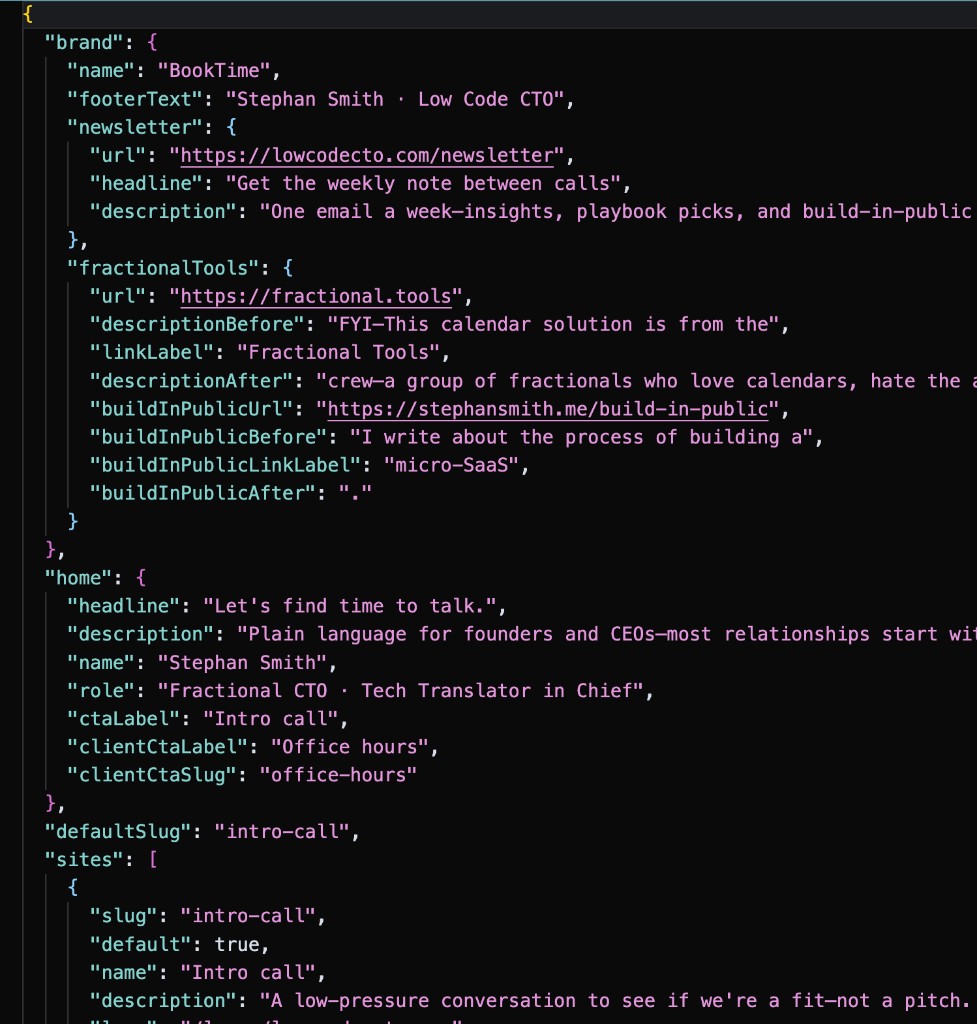
booktime.config.json — brand, home CTAs, and per-site slugs (intro call, office hours, …) in one file the MCP bench can read.
If enough people subscribe because of this link, I will go ahead and make this repo public so anyone can drop in. Fair warning: Google’s project configuration is a royal pain in the ass — it still pulls my brain through little tiny holes to figure out how to get my auth token updated properly, properly. If you decide to use Outlook for your calendar instead, Outlook—surprisingly—Microsoft is stupid easy to get configured.
Related: Snowflake CRM · Five users worked. Ten broke us. · BookTime live